How to merge PDF files
Have several PDFs but the recipient wants one? Merge them into a single file in the right order with the 6 steps below, on a computer or a phone. The pages stay exactly as they are; nothing is recompressed.
Updated
In short: Open the merge page, choose all the files, set the order with the ↑ ↓ buttons, add bookmarks if useful, then press “Merge PDF” and download. It’s free when each file is up to 20 MB and the merged file is up to 100 pages.
Opened this from a chat app? Open it in Chrome or Safari so files pick and download reliably (how).
Steps
Step 1. Open the merge page
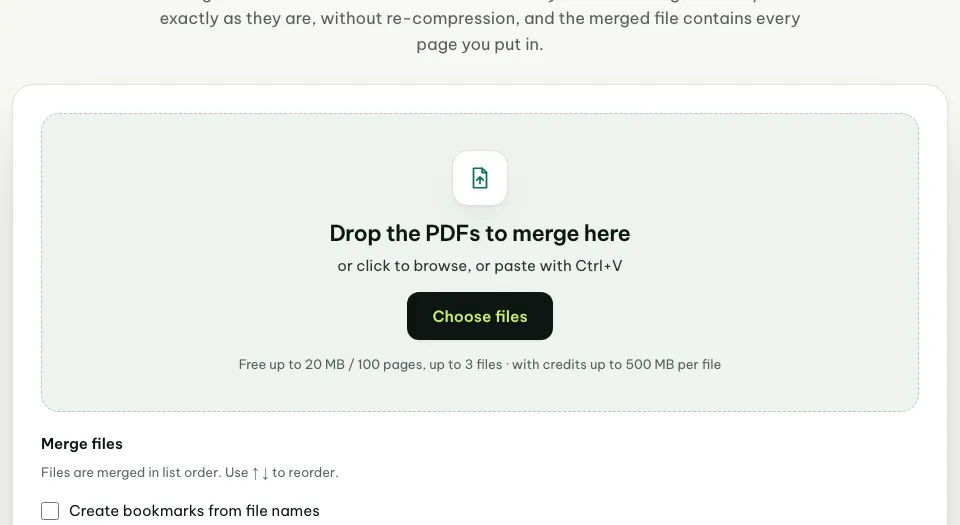
Press “Merge now” at the top of this page, or go to pinchpdf.com/merge-pdf. Nothing to install, no sign-up.
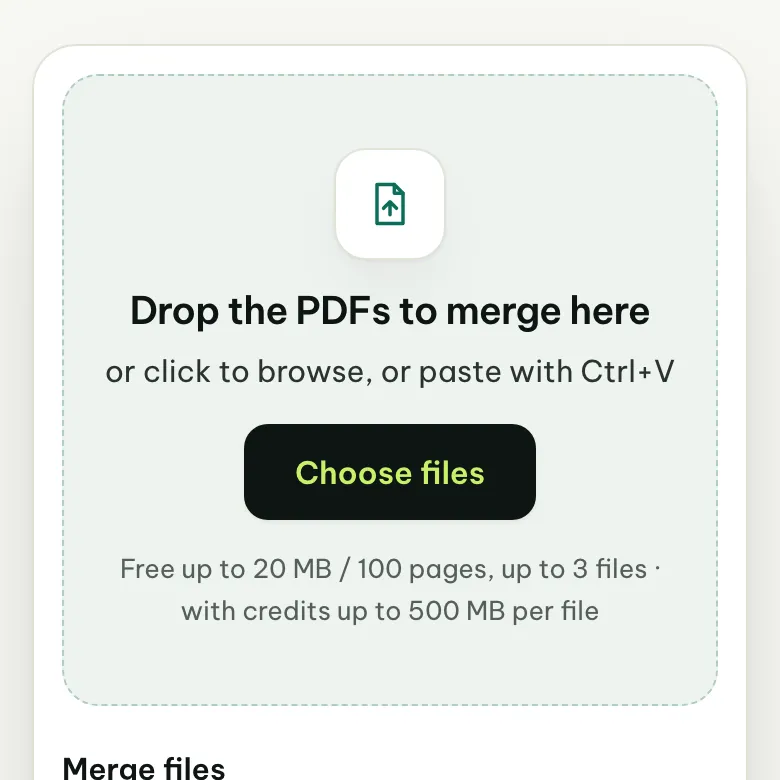
Step 2. Choose the files to merge
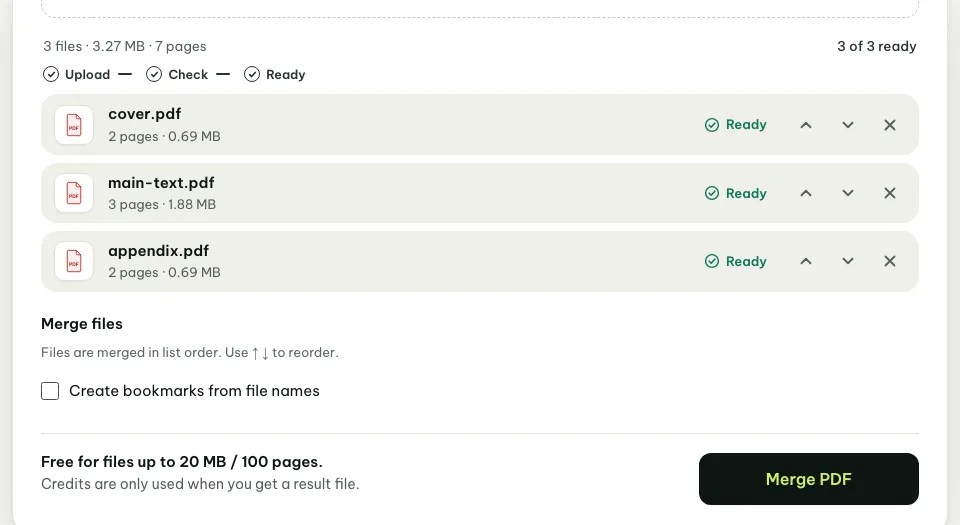
Press “Choose files” and select several files at once; on a computer, hold Ctrl (Mac: Cmd) while you click each file.
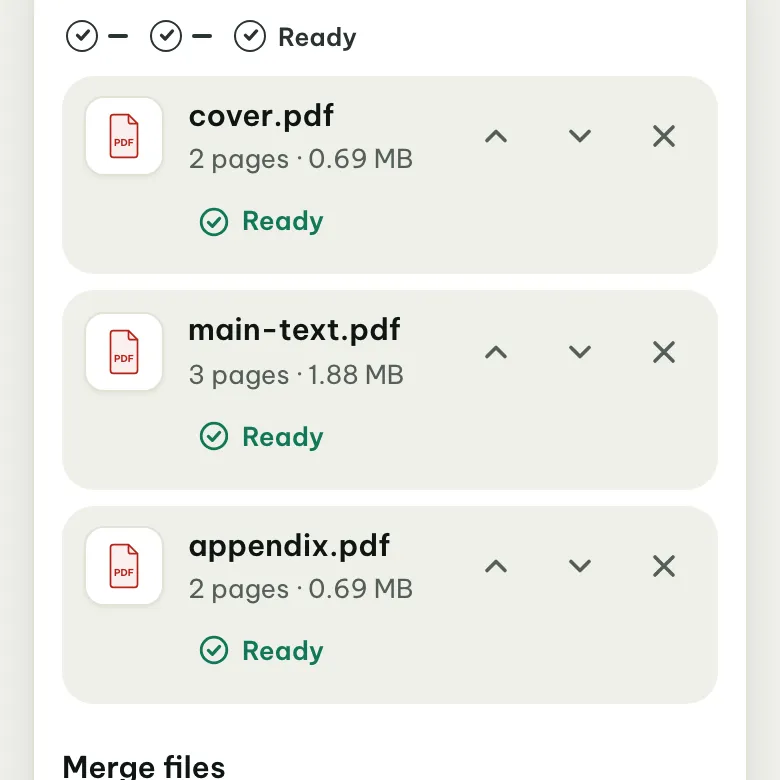
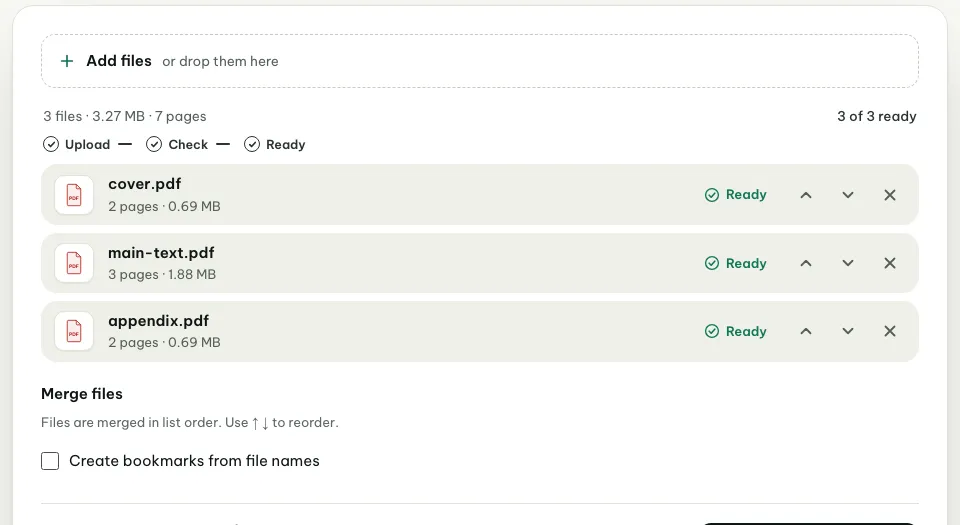
Missed one? Press “Add files” to pick more. Each file shows “Ready” once it has been checked.
Step 3. Put them in order
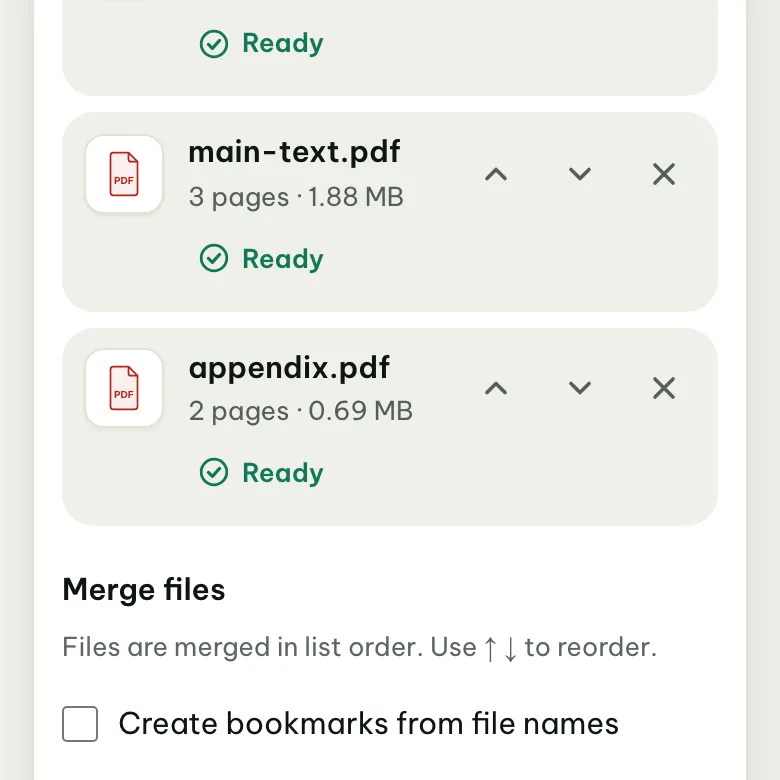
Files are merged in list order, top to bottom. Press ↑ or ↓ next to a file to move it, or × to remove a file you picked by mistake.
Step 4. Add bookmarks if useful
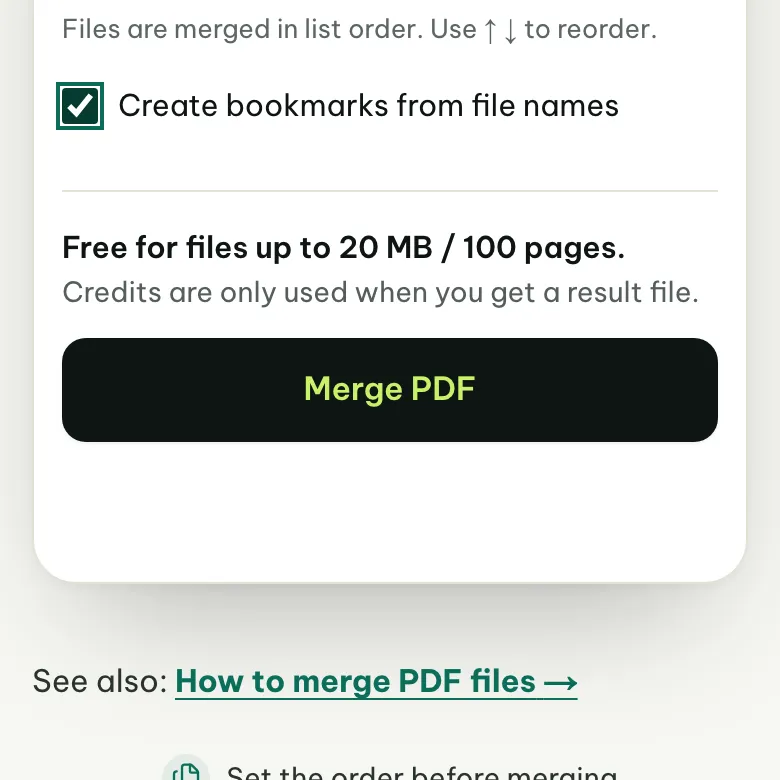
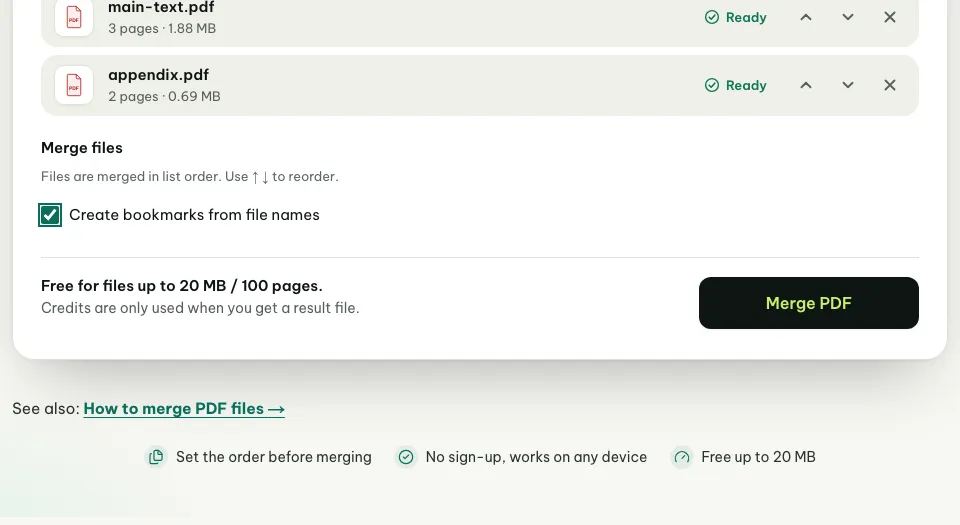
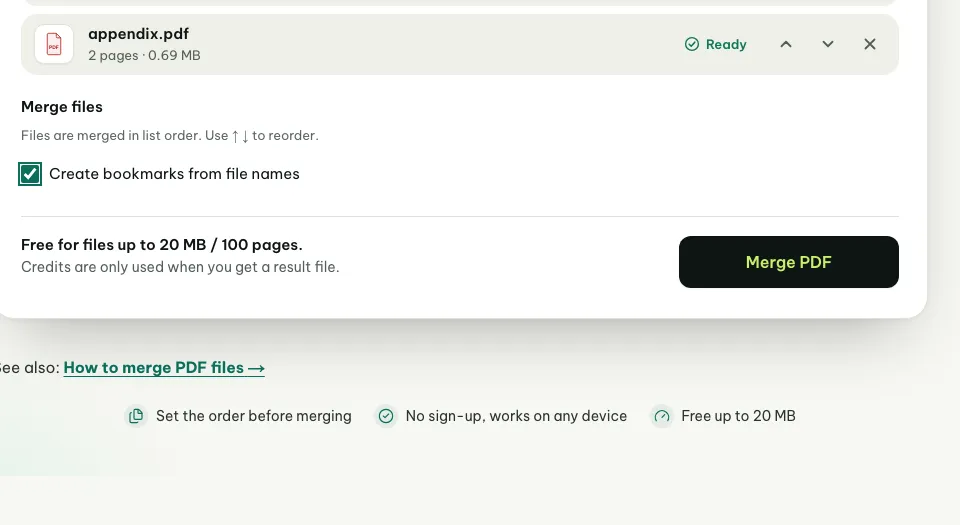
Tick “Create bookmarks from file names” if the merged file is long. Each original file becomes an outline entry named after the file, and clicking it jumps to that file’s first page. Skip this step if you don’t need it.
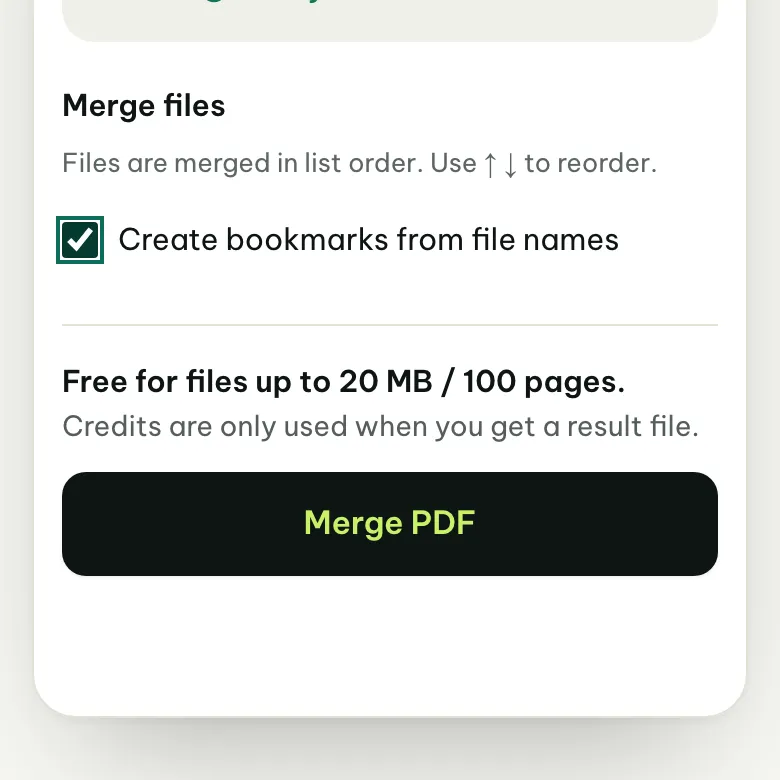
Step 5. Press “Merge PDF”
The line next to the button tells you whether this merge is free. When each file is up to 20 MB and the merged file is up to 100 pages, no credits are used.
Step 6. Download the merged file
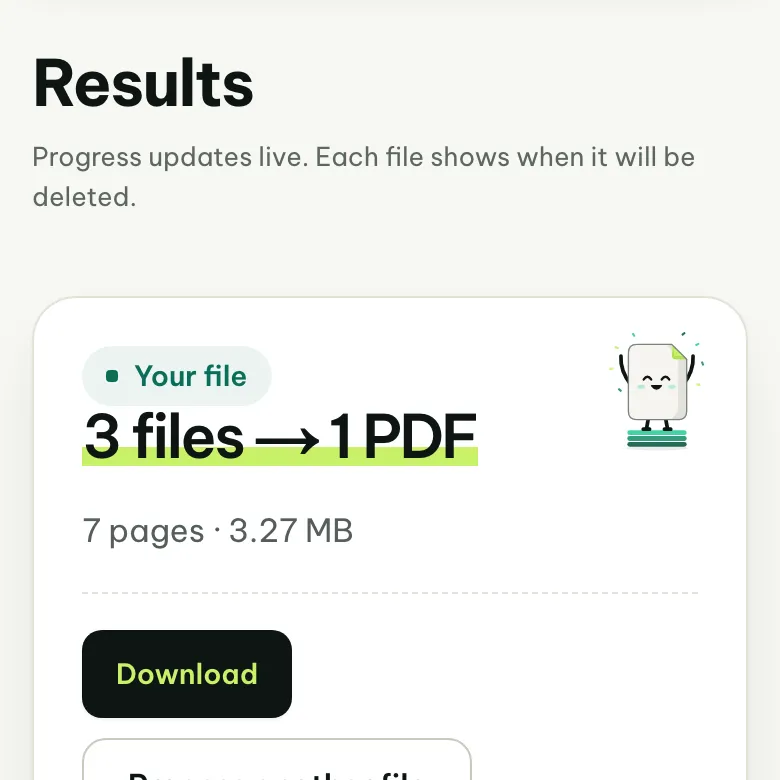
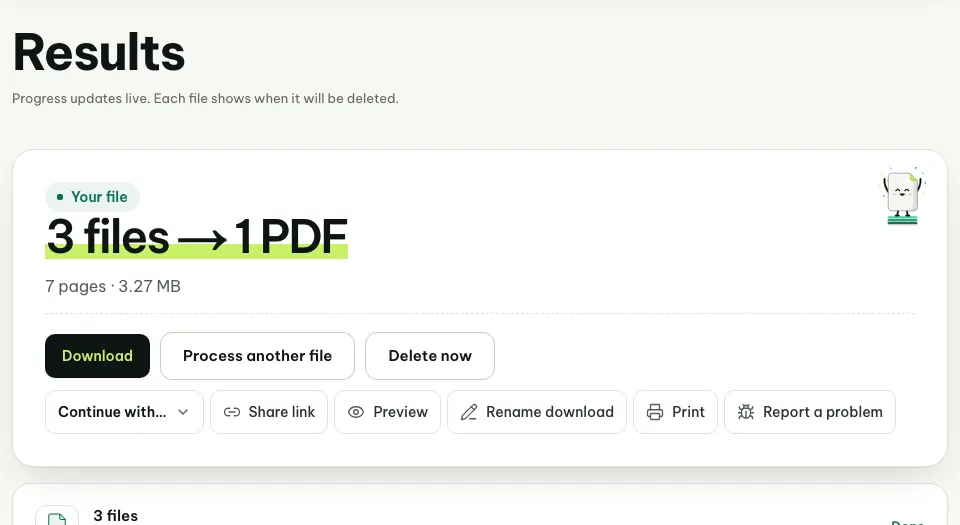
On the results page, press “Download” to save one PDF. Flip through it to check the page order before you send it.
Is merging PDFs on a phone different from a computer?
The steps are the same, because the tool runs in the browser. What differs is how you pick files. On a computer, drag several files onto the box, or hold Ctrl (Mac: Cmd) to select several in the file dialog.
On a phone, PDFs usually live in the Files app (iPhone) or Downloads (Android). If your phone won’t let you select several files at once, pick them one by one and press “Add files” until they’re all there. The merged file downloads to the same place as your other downloads.
Does merging PDFs cost anything?
No, as long as each file is up to 20 MB and the merged file is up to 100 pages. You can pick up to 3 files per merge, 10 if you have purchased credits, 20 with Pro; within the size and page limits above, the merge still uses no credits.
Larger files can still be merged, but they use credits. The number of credits is shown before you press “Merge PDF”, and credits are only used when you get the result file.
| Limit | Free | With credits | Pro |
|---|---|---|---|
| Files per merge | 3 files | 10 files | 20 files |
| Size of each file | up to 20 MB | up to 500 MB | up to 500 MB |
| Pages in the merged file | up to 100 | up to 2000 | up to 2000 |
What if the merged file is too big?
Merging adds sizes together: the merged file weighs about as much as all the inputs, because pages are not recompressed. If the recipient has a size limit, compress the merged file as a separate step and check the preview before you download.
Need it under a set size, like 2 MB? Use compress PDF to 2 MB. The guide how to reduce PDF file size walks through it step by step.
Having trouble?
The “Merge PDF” button doesn’t respond
You need at least 2 files marked “Ready”. Wait for the check to finish, or press “Add files” if you picked only one.
A file shows “Digitally signed”
Merging would invalidate the digital signature, so that file is not processed and not charged. Merge the unsigned versions, then sign; see digitally signed PDFs.
Pages inside one file are out of order or upside down
The ↑ ↓ buttons move whole files. To rotate, delete or move single pages, open the merged file in Organize PDF pages.
The tool says this merge needs credits
A file is larger than 20 MB, or the merged file has more than 100 pages. Remove files you don’t need, or use credits; the number is shown before you press the button.
Frequently asked questions
How many PDFs can I merge at once?
You can pick up to 3 files per merge, 10 if you have purchased credits, 20 with Pro. The merge is free when each file is up to 20 MB and the merged file is up to 100 pages.
Does merging reduce PDF quality?
No. Pages are copied into the new file as they are, without recompression, so text, images and page sizes stay the same. That is also why the merged file weighs about as much as the inputs together.
Does merging PDFs cost anything?
It’s free when each file is up to 20 MB and the merged file is up to 100 pages. Larger files use credits; the number is shown before you press “Merge PDF”, and credits are only used when you get the result file.
Is combining PDFs the same as merging them?
Yes. Combining, joining and merging PDFs all mean putting several files into one, in the order you choose. On PinchPDF the tool is called Merge PDF.
Got files to merge?
Open Merge PDF, choose your files and set the order. Pages stay as they are, with no recompression.